Your project,
in your pocket.
Most contractors leave you guessing. Every Diamondback client gets a private online portal — track progress, see exactly what's paid and owed, e-sign your proposal, approve selections and change orders, and message your team. Any device. No app to download.
Construction without the black box
The hardest part of a construction project isn't the building — it's not knowing. Where are we? What have I paid? What did I approve? Diamondback replaces the scattered texts, voicemails, and paper trails with one place that's always current. That transparency is the difference between hoping your project is on track and knowing it is.
Total visibility
See progress, budget, and every document in real time.
No surprises
Allowances, change orders, and invoices — all up front.
One source of truth
Approvals, payments, and messages in a single record.
Everything your project, in one place
A real look at the portal every Diamondback client gets — shown here with an example project.
Live project progress & payments
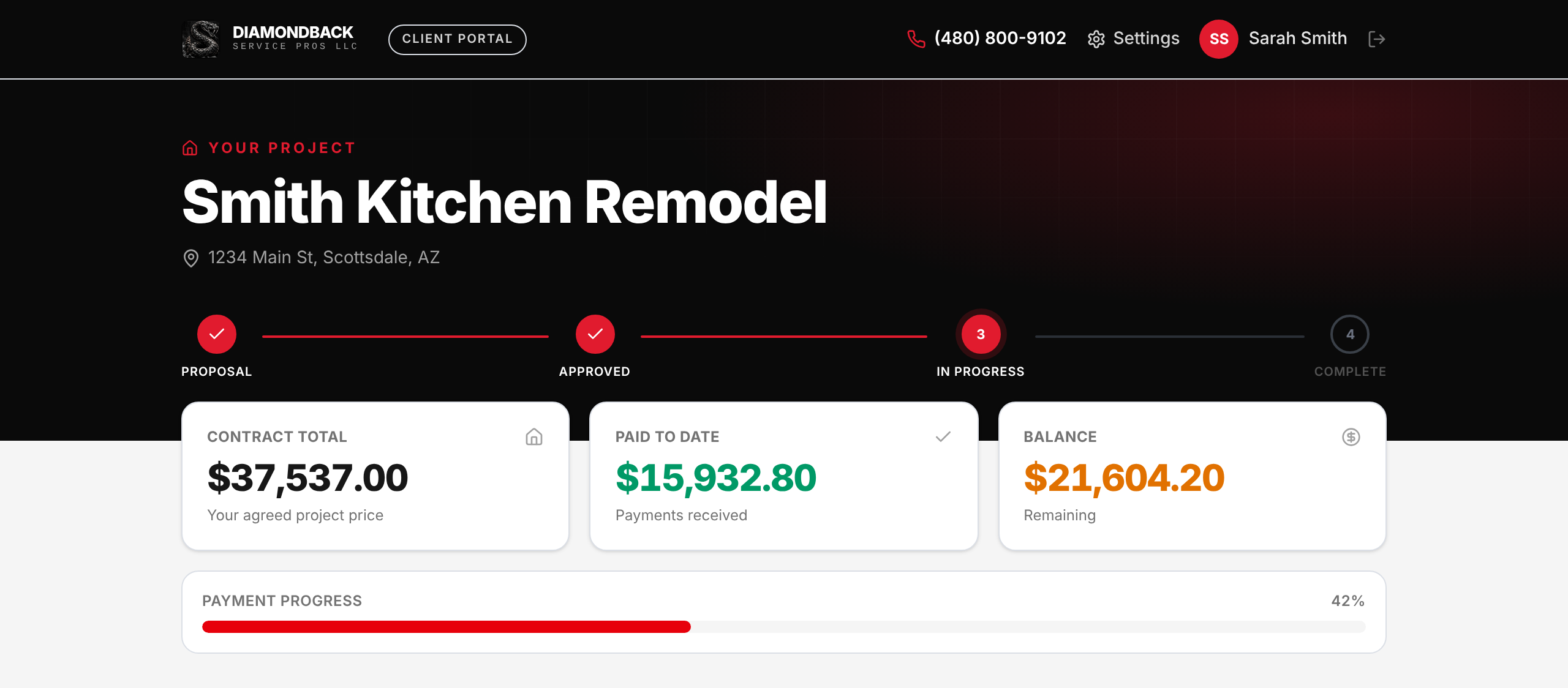
A clear progress timeline — from proposal to complete — plus your contract total, what you've paid, and your remaining balance, updated live. No more wondering what stage you're at or what's owed.
- Proposal → Approved → In Progress → Complete
- Contract, paid-to-date, and balance at a glance
- Live payment-progress bar
Review & e-sign your proposals
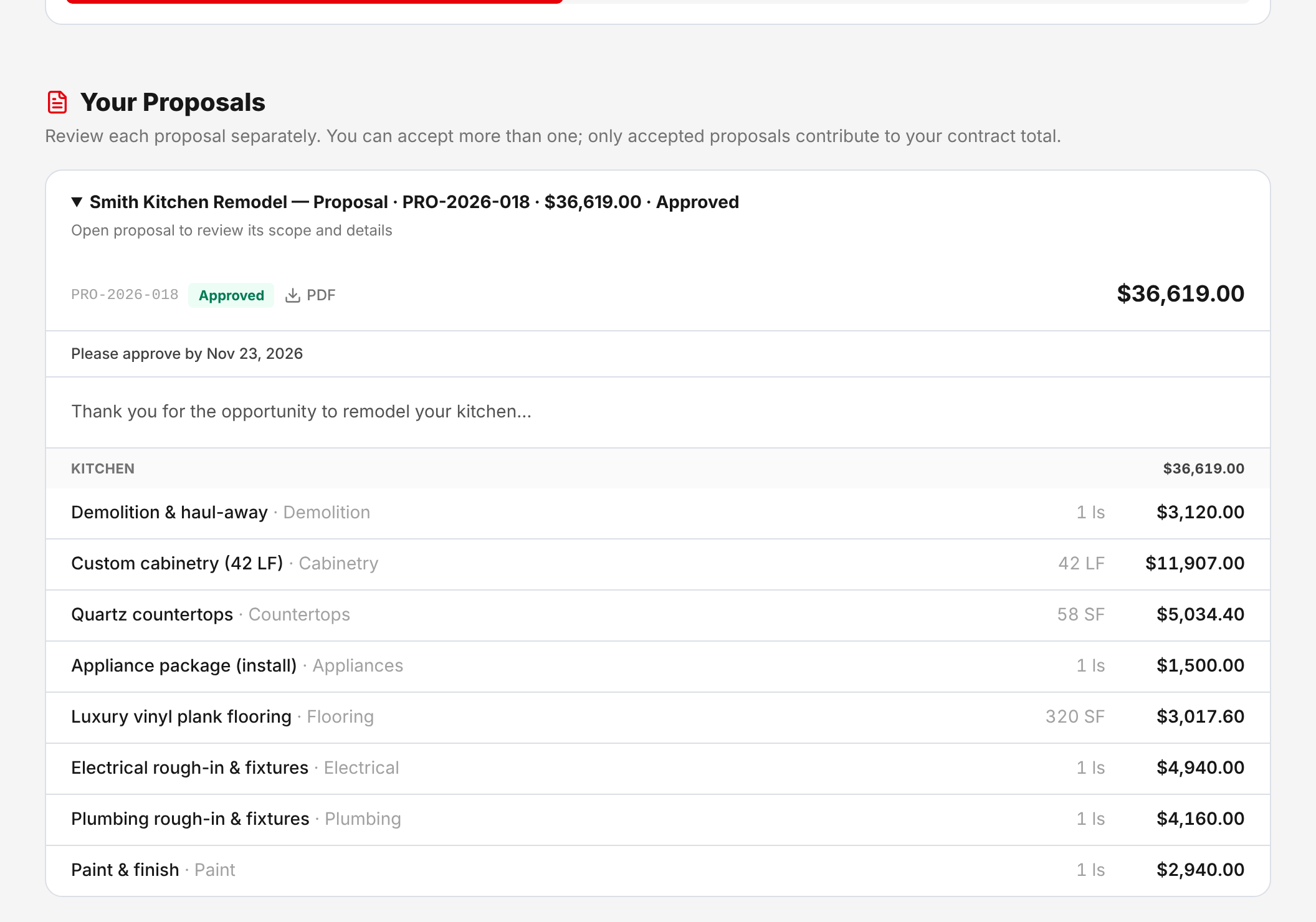
Every proposal for your project in one place — your full scope and price, itemized line by line. No fine print, no surprises. When you're ready, approve and sign right from your phone; it's dated, recorded, and reflected in your project right away.
- Every proposal on your project, not just the latest
- Approve & sign from any device
- Download any proposal as a PDF
Selections & allowances, tracked
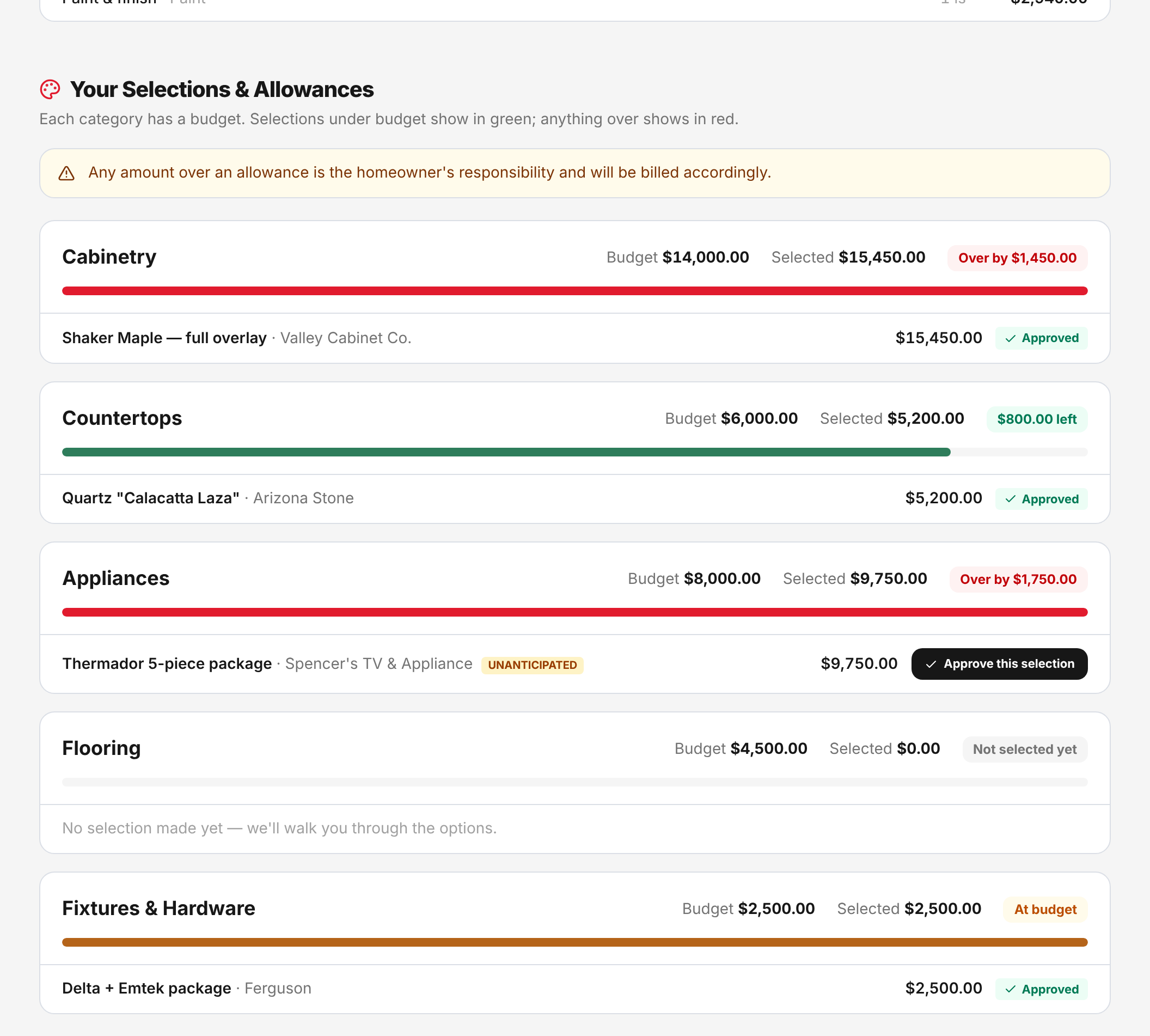
Every selection category has a budget. Choices under budget show green; anything over shows red — before it ever hits your bill. You approve each selection, so you're never surprised by an allowance overage.
- Per-category budgets with over/under tracking
- Approve selections yourself
- Overages flagged up front, never at closeout
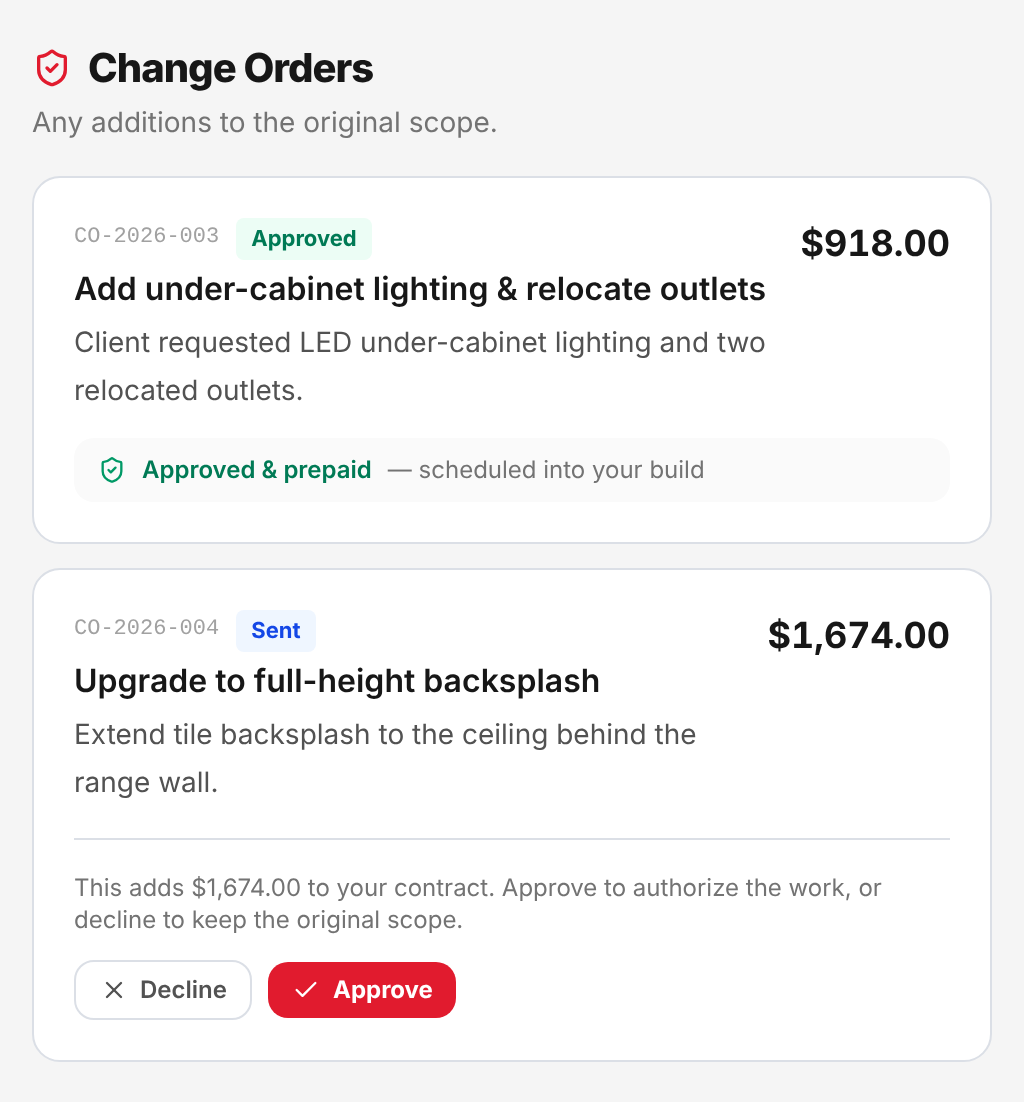
Change orders — approve or decline
If something needs to change, we send a clear change order with the scope, reason, and price. You approve to authorize the work or decline to keep the original scope. Nothing extra happens without your say-so.
- Transparent scope, reason, price & payment terms
- Approve or decline in one tap
- Contract total updates automatically
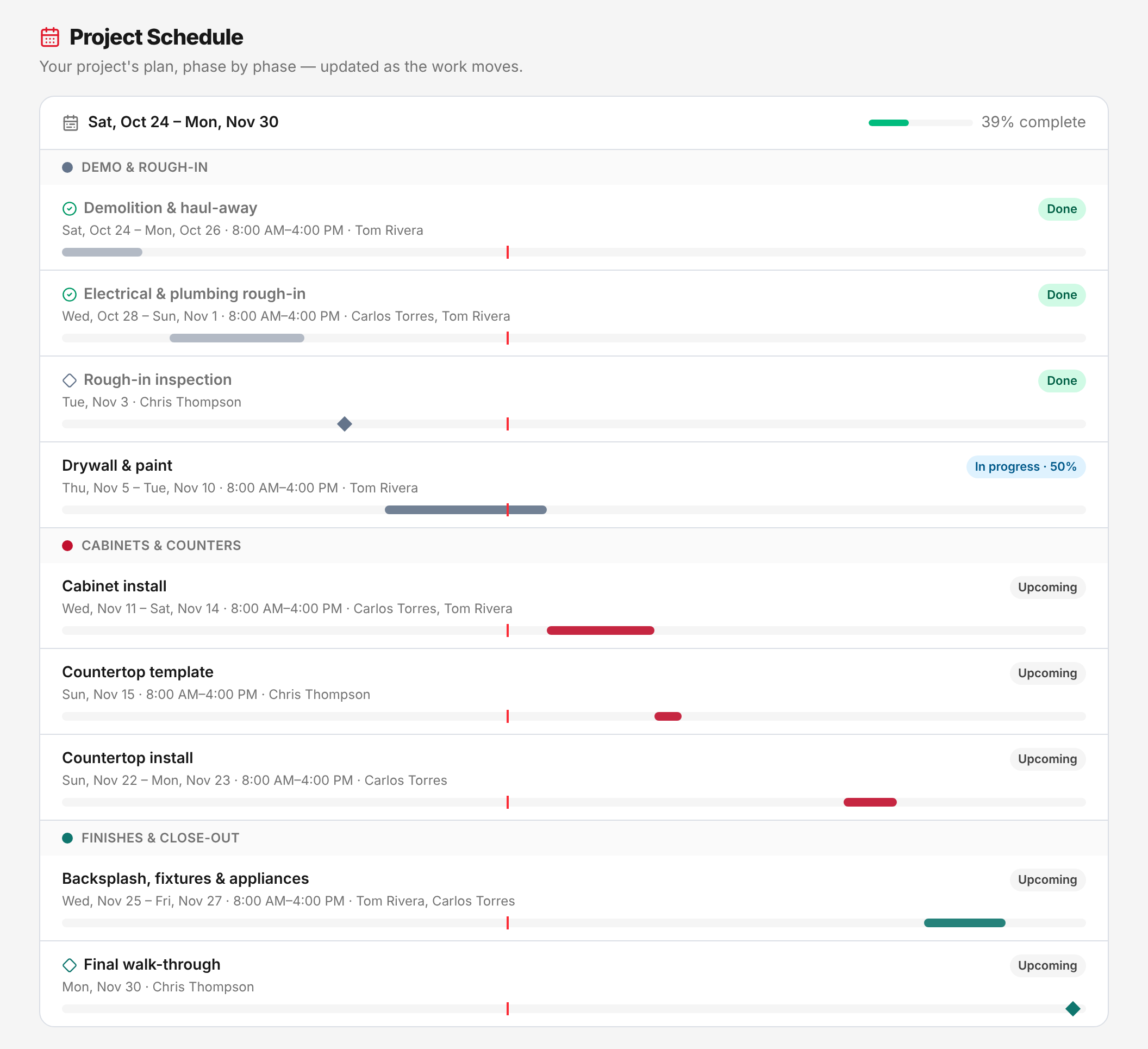
Your schedule & upcoming visits
See your project's plan phase by phase, updated as the work moves — and every upcoming visit, with the date, the time, and who's coming.
- Phase-by-phase project schedule
- Upcoming visits with date, time & crew
- Updated as the work moves
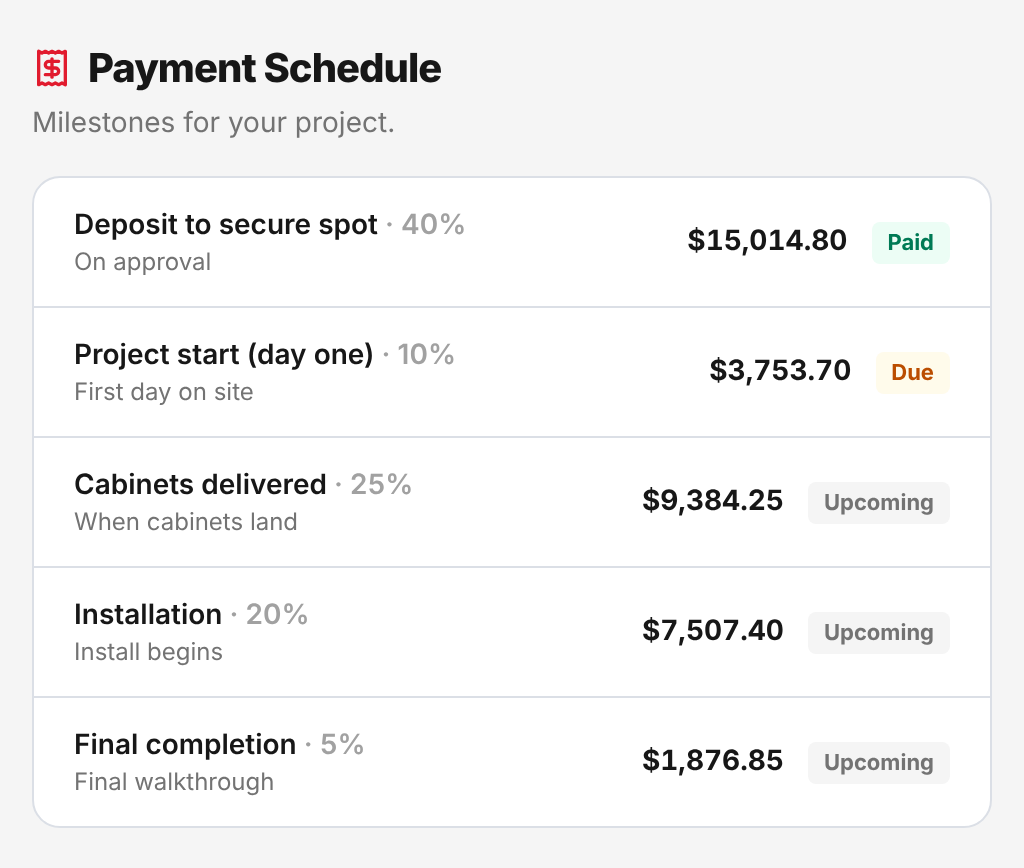
Invoices & payment schedule
Every invoice on your project and exactly where it stands — issued, due, paid, or with a balance. Plus your milestone payment schedule, so you always know what's coming and when.
- Every bill with status and balance
- Milestone payment schedule
- Nothing hidden, nothing buried
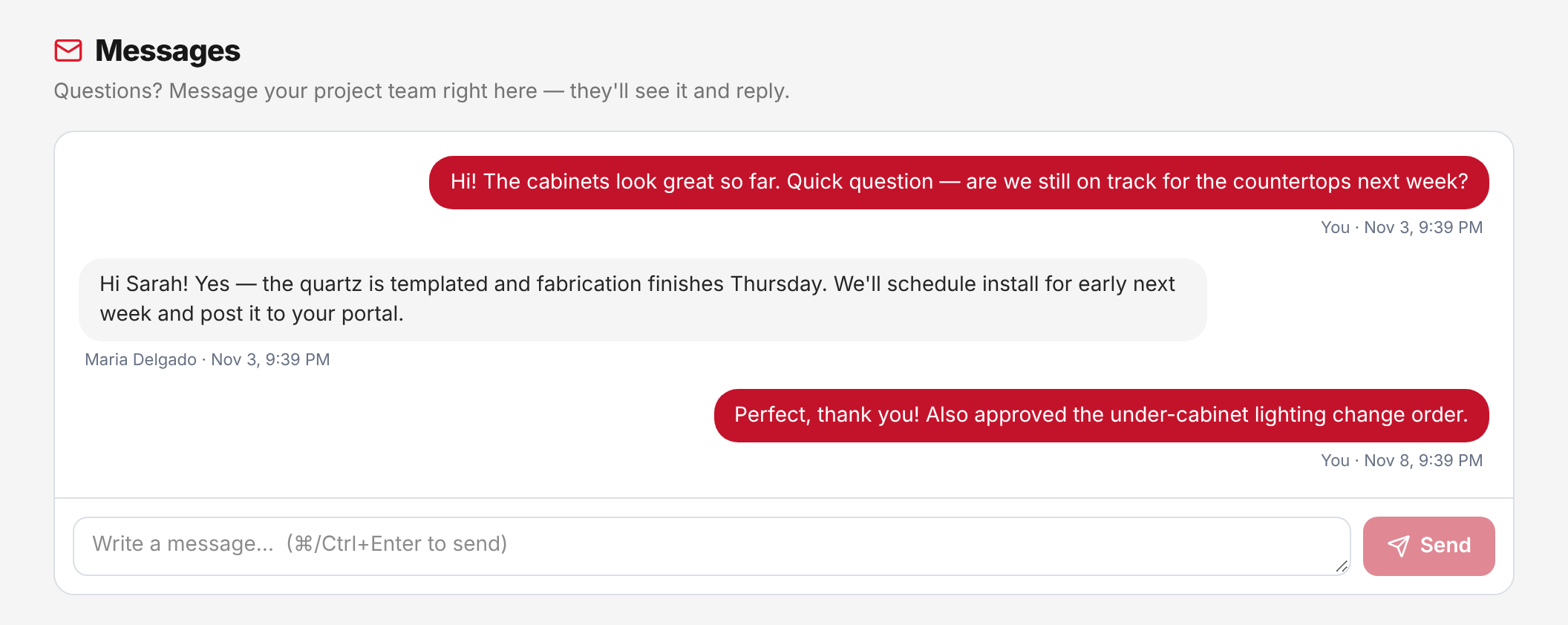
Message your project team directly
Skip the scattered texts and voicemails. Ask a question, get an answer, and keep the whole conversation in one place — attached to your project, visible to your whole team.
- Direct thread with your project team
- No lost texts or missed voicemails
- Everything in one project record
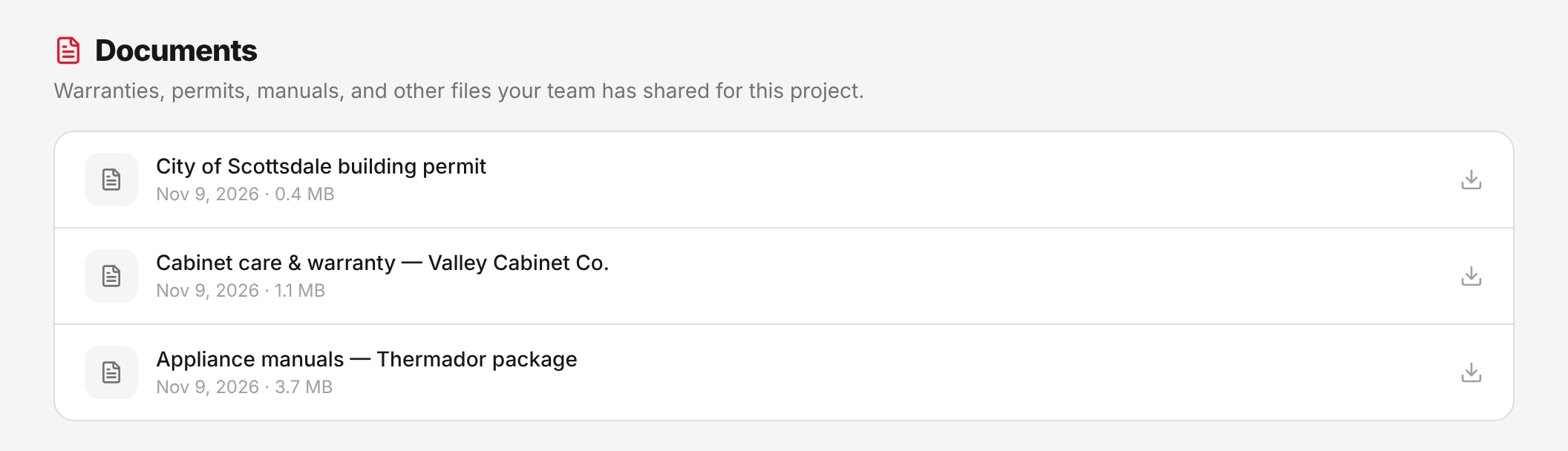
Documents & final sign-off
Warranties, permits, manuals, and the other files your team shares stay with your project, ready whenever you need them. At the end, you review and sign the final walk-through from a link we send — no paperwork to chase.
- Warranties, permits & manuals in one place
- Final walk-through signed from your phone
- Nothing lost after the job is done
How you get your portal
Three steps — and you're never in the dark again.
Start your project
Once you're ready to move forward, we set up your project and create your private portal.
Get your secure login
We send you a private login tied to your project — no app to download, works on any device.
Stay in the loop, always
Log in any time to track progress, approve proposals, selections and change orders, see invoices and your schedule, and message your team.
Portal questions, answered
Do I need to download an app?+
No. The portal runs in any web browser on your phone, tablet, or computer — nothing to install or update. You just log in.
How do I get access to the portal?+
When your project kicks off, we send you a secure, private login tied to your project. From then on you can log in any time to see exactly where things stand.
What can I see and do in the portal?+
Your live project progress, contract total, amount paid and balance; every proposal for your project, to review, e-sign or download as a PDF; selections and allowances with budget tracking; change orders to approve or decline; every invoice and your payment schedule; your project schedule, phase by phase, and upcoming visits; documents like warranties, permits and manuals; and a direct message thread with your project team. If you have more than one project with us, you can switch between them.
Will I be told when something changes?+
Yes. You choose what you hear about — project updates, messages from your team, and upcoming visits — in your portal's settings.
Is my information private and secure?+
Yes. Access is by private login, and you only ever see your own project — never anyone else's. Your project details stay between you and your Diamondback team.
Can I approve things from my phone?+
Absolutely. You can review and e-sign your proposal, approve individual selections, and approve or decline change orders right from your phone — no printing, scanning, or in-person signatures.
Does the portal cost anything extra?+
No. The client portal is included with every Diamondback project at no additional cost — it's simply how we work.
Ready for construction you can actually see?
Every project comes with your own portal. Get a free estimate or call (480) 800-9102.